While most of us are rarely away from our phones, some of the best reading happens in exactly the moments we are. A chapter at bedtime after the tablet’s been put away. A picture book in the back seat. Twenty quiet minutes during reading time at school. For a kid in a device-free classroom, none of that reading could be logged in YOMU.
With our latest version, you can now add a reading session by hand, and edit any session that didn’t go quite to plan.
Why it matters
YOMU runs on a simple loop: kids read, the reading gets recorded, and that effort turns into streaks and gems. The loop only works if it tells the truth. When a child reads for half an hour without the app open, the gems don’t reflect it and a streak can break, which makes the reward feel a little less earned. Manual logging closes that gap. The timer is still the heart of YOMU, but now reading that happens when it’s not running counts too.
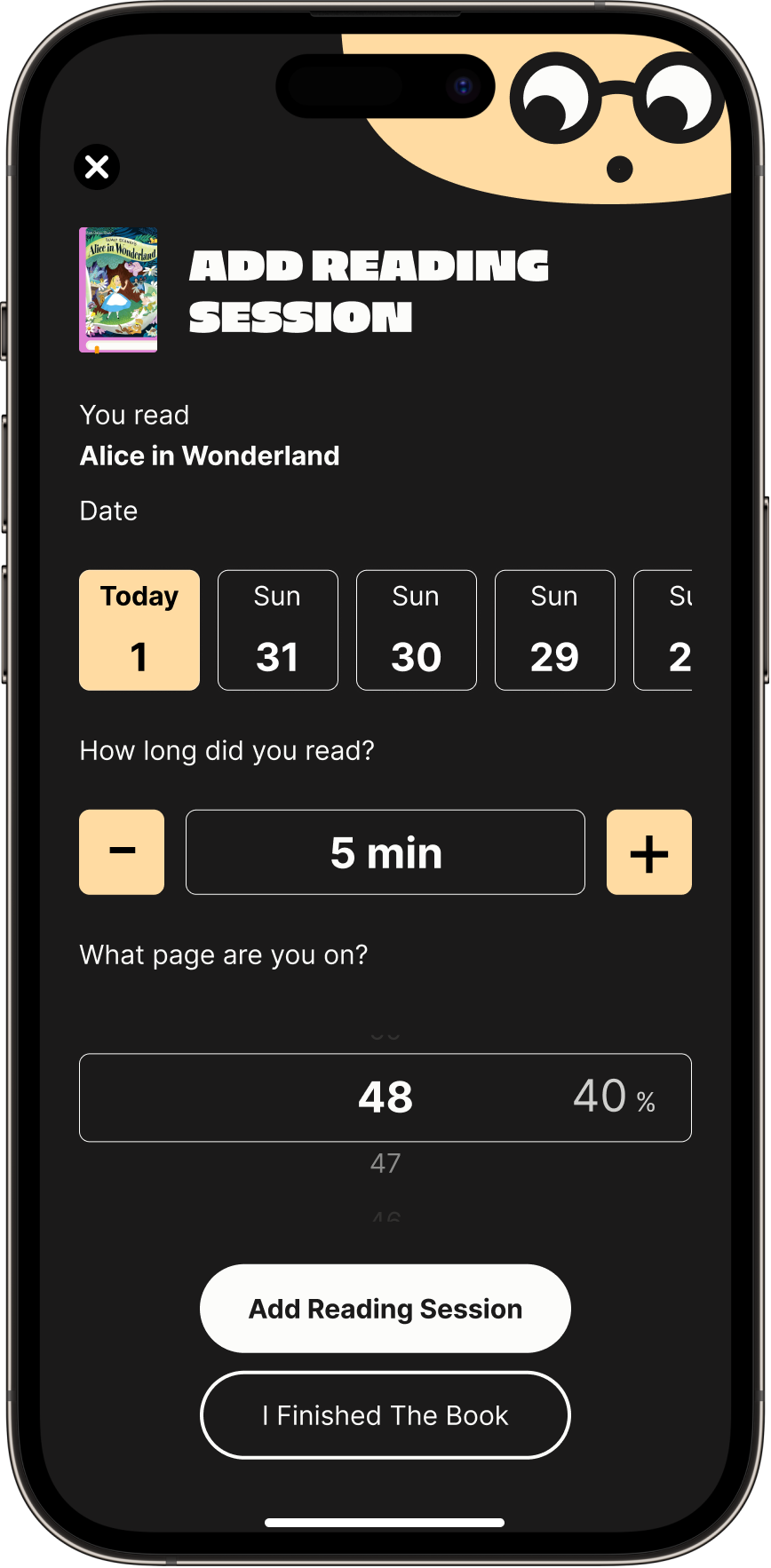
Logging a session by hand
When reading happens away from the app, you can add it after the fact, right from the book your child is reading. Pick the day, set how long they read, and add the page they reached.
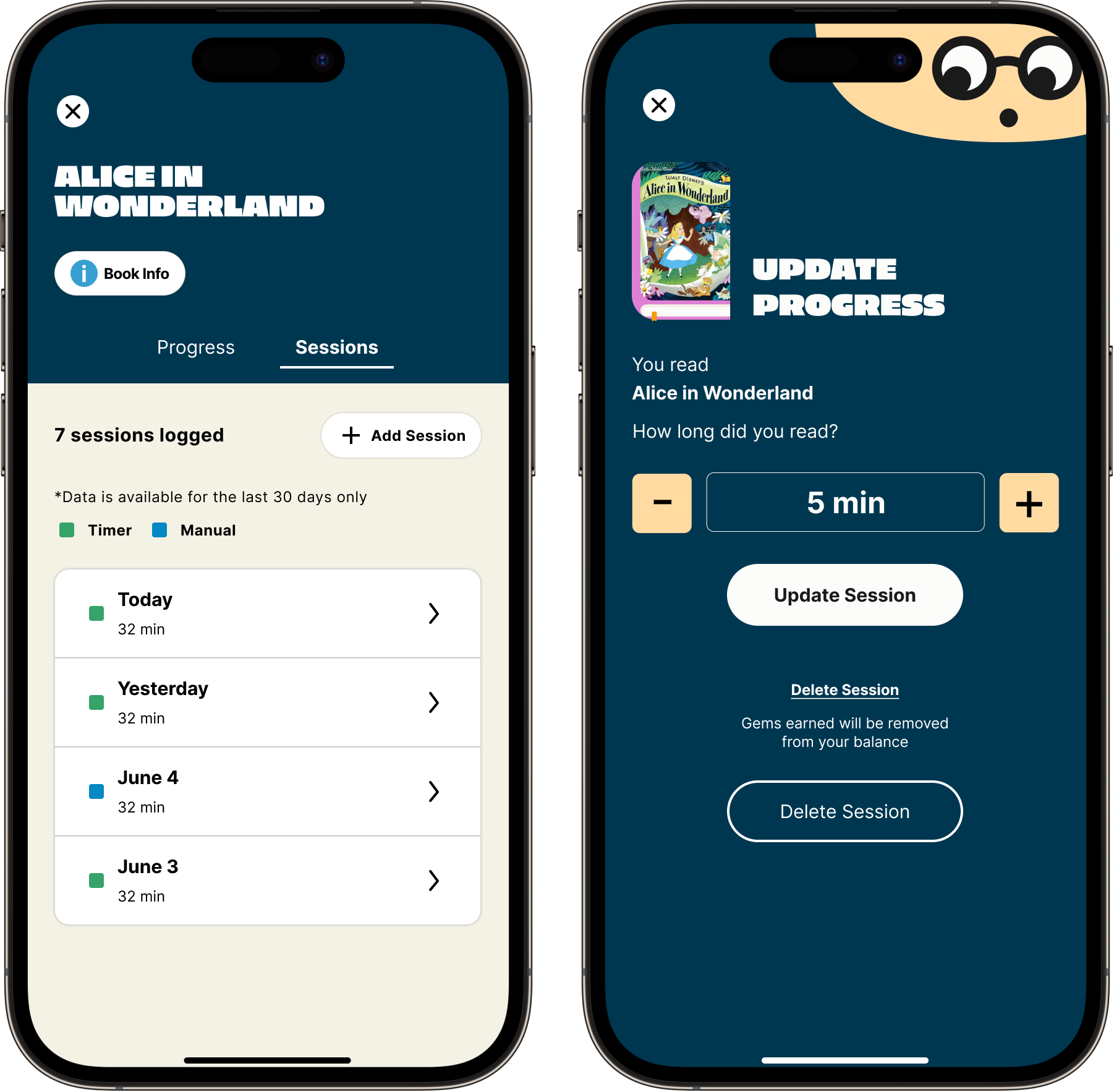
Fixing a session
Timers aren’t perfect, and sometimes one keeps running after the book’s been closed. Now you can fix the record. Adjust the time, or delete the session entirely. We’ll confirm before removing any gems it earned.
Parents stay in control
Manual logging is on by default, so there’s nothing to set up, but it’s yours to manage. Allow manual session logging is a simple toggle in your family controls you can switch off anytime, and you can review logged sessions from there too.
Make sure every minute counts.Read with YOMU.